AI TOOL / #09100
Humanizar Texto
Humanize AI-generated text by rewriting it to sound more human, bypass AI detection, and avoid plagiarism.
Introduction
Humanizar Texto rewrites AI text to sound human, bypass AI detection, and avoid plagiarism.
What is Humanizar Texto?
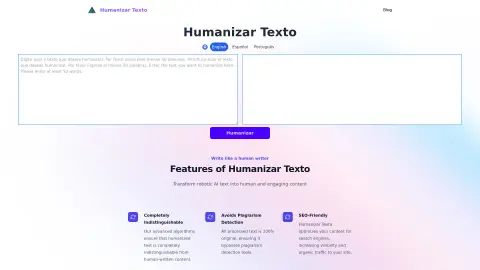
Humanized Text is an advanced tool designed to rewrite text in a more human-like way. It uses sophisticated algorithms to ensure the text is natural, engaging, and free of the detectable patterns typical of AI-generated content. It guarantees original, unique content that can bypass major AI detection tools and generate high-quality text for a variety of applications. The tool transforms robotic AI text into humanized, engaging content, ensuring it is completely indistinguishable from human-written content. It avoids plagiarism detection, optimizes content for search engines, bypasses spam filters, enhances complexity, and increases sentence structure variety.
How do I use Humanizar Texto?
To use Humanize Text, simply paste or type your text into the editor, then click the “Humanize” button to convert the content.
Core Features of Humanizar Texto
Undetectable rewriting
No plagiarized content
Error-free writing
Search engine optimization
Spam filter evasion
Increased complexity
Increased diversity
Related
Noteey
A visual note-taking app for organizing thoughts and creating visual knowledge graphs.
Salad – GPU Cloud
Distributed GPU cloud provides affordable and scalable computing resources for AI/ML workloads.
DAWN
An educational technology platform that utilizes artificial intelligence and blockchain technologies aims to make learning opportunities as well as employment prospects more accessible to everyone.
Trupeer – AI Screen Recorder For Stunning Product Demos and Guides
An AI-powered platform that makes it easy to create training videos, guides, and tutorials.
Diaflow
An intelligent platform for rapidly building custom internal applications and generative AI tools.
Ask Screenshot for ChatGPT
Improve ChatGPT productivity by analyzing screenshots and selected text.