AI TOOL / #06135
Ask Screenshot for ChatGPT
Improve ChatGPT productivity by analyzing screenshots and selected text.
Introduction
Enhances ChatGPT productivity by analyzing screenshots and selected text.
What is the Ask Screenshot AI Chrome extension/plugin?
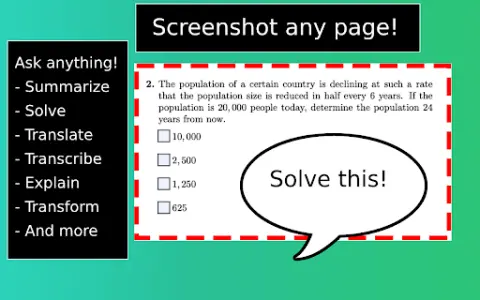
Ask Screenshot is a tool designed to improve productivity in ChatGPT, allowing users to analyze screenshots or selected text directly within ChatGPT. It offers features such as summarization, transcription, and translation, making it easier to extract information and process content from visual and textual sources.
How do I use the Ask Screenshot AI Chrome extension/plugin?
To use Ask Screenshot, right-click anywhere on any page and hover over Ask GPT to access the available screenshot templates. For selected text, right-click the selected text and hover over Ask GPT to view the available templates.
Core features of the Ask Screenshot AI Chrome extension/plugin
Screenshot and analyze: Take a screenshot and automatically open it in ChatGPT for analysis.
Text selection and analysis: Right-click any selected text to automatically open it in ChatGPT.
Related
Rescape AI
An AI-based garden design tool used to generate creative landscape concepts and professional designs.
Ghostly Chat
Ghostly: Use your OpenAI key to create a customizable knowledge chatbot for your website.
Ideaflow
Ideaflow is a notebook designed to help you quickly capture and organize your thoughts.
Desku
Artificial intelligence-powered customer service software and helpdesks, suitable for support teams and small businesses.
Dokko
Dokko is a code-free artificial intelligence platform that makes it easy to manage knowledge and create chatbots.
Intellexie
AI platforms integrate with commercial tools to enhance the accessibility of knowledge bases.