AI TOOL / #03930
SciGPT: Summarize a scientific paper
SciGPT uses ChatGPT to provide insights and suggestions for scientific papers.
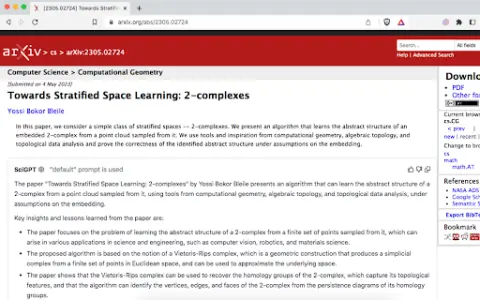
Introduction
SciGPT uses ChatGPT to provide insights and suggestions for scientific papers.
What is SciGPT ai chrome extension/plugin?
SciGPT Generate insights, suggestions, questions and references by using ChatGPT directly from abstracts as you browse scientific journal websites such as Arxiv. Currently supports 48 websites. For a complete list of supported sites, please visit our website (github). If you need support for other sites, please feel free to submit a pull request. ChatGPT Plus plan is not required. Legal Notice: SciGPT is not an official ChatGPT™ application. It is an unofficial extension, developed and maintained independently and not affiliated with OpenAI.
How to use SciGPT ai chrome extension/plugin?
Install SciGPT extension. Browse a supported scientific journal website (such as Arxiv). SciGPT automatically generates insights based on summaries.
Core features of SciGPT ai chrome extension/plugin
Generate insights, suggestions, questions and references from scientific paper abstracts.
Supports 48 scientific journal websites.
ChatGPT Plus plan is not required.
Related
Noteey
A visual note-taking app for organizing thoughts and creating visual knowledge graphs.
Salad – GPU Cloud
Distributed GPU cloud provides affordable and scalable computing resources for AI/ML workloads.
DAWN
An educational technology platform that utilizes artificial intelligence and blockchain technologies aims to make learning opportunities as well as employment prospects more accessible to everyone.
Trupeer – AI Screen Recorder For Stunning Product Demos and Guides
An AI-powered platform that makes it easy to create training videos, guides, and tutorials.
Diaflow
An intelligent platform for rapidly building custom internal applications and generative AI tools.
Ask Screenshot for ChatGPT
Improve ChatGPT productivity by analyzing screenshots and selected text.