AI TOOL / #06677
Voice Control for Netflix
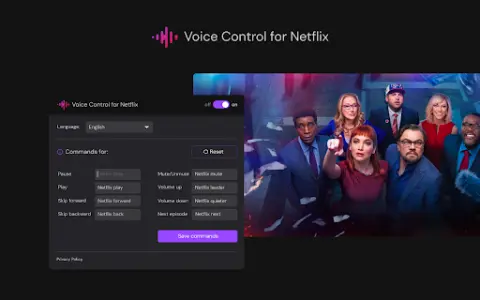
Use voice control to operate Netflix: play, pause, fast-forward, and more.
Introduction
Control Netflix with your voice: play, pause, fast-forward, and more.
What is the Voice Control for Netflix AI Chrome extension/plugin?
Netflix’s voice control allows users to manage their Netflix experience via voice commands. This includes tasks such as playing, pausing, and advancing videos, all without the need to use a remote control or touch the screen.
How to use the Voice Control feature for the Netflix AI Chrome extension/plug-in?
Simply enable Netflix’s voice control, and then use voice commands to control playback, navigate the menu, and search for content.
The core functionality of the Netflix AI Chrome extension/plugin for voice control
Use voice control to operate Netflix playback functions (play, pause, fast forward, rewind).
Hands-free navigation, Netflix menu
Voice search for films and TV shows
Related
Lizzy Sleep
The Lizzy Sleep app offers personalized sleep plans and 24/7 customer support, and it is also designed to assist with infants' sleep patterns.
Flochat
Flochat automates chat for Saa...
metromaxsolutions.com
IT solutions for corporate growth and talent recruitment
MxChat
AI chatbot plugin for WordPress with customizable themes and no monthly fees.
Redacta.me
An AI-driven virtual community management tool used for generating original Spanish-language content.
Asqme AI
Asqme AI: Convert text into AI chatbot for smarter knowledge acquisition and customer service.