AI TOOL / #06632
Talk to GPT
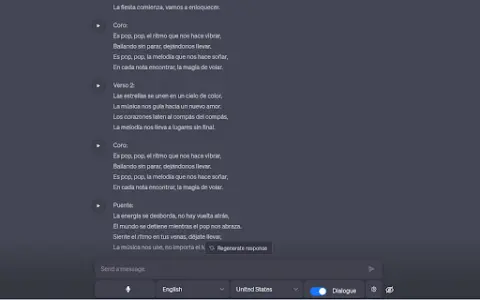
A Chrome extension designed for voice interaction with ChatGPT, supporting multiple languages and error correction features.
Introduction
Chrome extension for voice interaction with ChatGPT, supporting multiple languages and error correction.
What is the Talk to GPT AI Chrome extension/plug-in?
“Dialogue with GPT” is a Chrome extension that enables users to interact with ChatGPT on chat.openai.com via their microphone. It utilizes the browser’s speech recognition API to convert spoken audio into text and supports multiple languages. Users can also adjust the language settings and enable ChatGPT’s error-correction functionality.
How to use the Talk to GPT AI Chrome extension/plug-in?
Install the Talk to GPT Chrome extension. Visit chat.openai.com and use your microphone to utter your query. This extension will transcribe your voice and send it to ChatGPT.
The core functionality of the GPT AI Chrome extension/plug-in.
Provide voice input for ChatGPT.
Multi-language support
Language level adjustment
ChatGPT corrects errors.
Related
New Alenta
Website AI sales agent for automatically scheduling meetings
CoCoLoop
AI discussion community
The new SoulDub style
AI video translation that preserves the original sound quality
New AI Bridge
A Mac application that organizes multiple programming agents based on their respective roles.
New MOVO AI
Long video intelligent agent that can be used on mobile phones
New LinkIntel
Let AI know which of your tweets has become popular.