AI TOOL / #03163
FuseBase Clarity – Capture Step-by-Step guides, SOP and tutorials
Screen recording tool that automatically creates guides with AI editing and sharing capabilities.
Introduction
Screen recording tool that automatically creates guides with AI-powered editing and sharing.
What is Fusebase Clarity ai chrome extension/plugin?
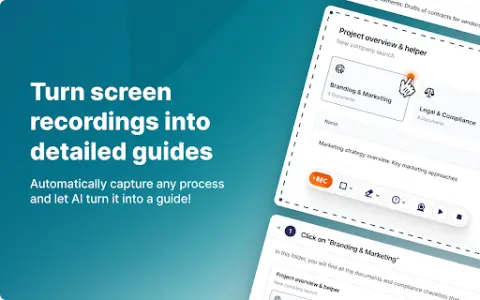
Fusebase Clarity automatically records your screen and automatically creates a guide with screenshots and instructions. It's possible to edit instructions using an AI assistant, add new elements like tips, tables, and files using the powerful editor, and share guides with friends and colleagues or create your own knowledge base.
How to use Fusebase Clarity ai chrome extension/plugin?
Record your screen and Fusebase Clarity will automatically generate a guide. Edit instructions with an AI assistant, add elements using the editor, and share guides with others.
Core features of Fusebase Clarity ai chrome extension/plugin
Automatic creation guide from screen recording
Artificial Intelligence Powered Description Editor
Powerful editor for adding elements
Convenient sharing and knowledge base creation
Related
Logos-World: A Comprehensive Collection of Brand Logos
This collection includes logos from around the world, along with their origins and symbolic meanings. It also provides vector and PNG files for well-known companies and popular logos – with a total of over 1,000 items available.
OneStop Radio: A global network of radio stations
A global radio platform that allows users to listen to over 65,000 online stations from more than 235 countries, without any monthly fees or subscription requirements.
Aeon: A Journal of Thought and Culture
Aeon is a magazine dedicated to ideas and culture. It publishes in-depth articles by some of the most insightful and ambitious thinkers around the world, and also features both original videos and carefully selected content—all available for free.
Same with the clipboard manager.
Ditto is an extension to the standard Windows clipboard: it saves every piece of content that is copied, allowing for easy retrieval at any later time. Text, images, HTML files, and custom formats can all be stored using Ditto.
“Let Me Google That” – the meme of asking for someone to do the search for you
Specifically designed for those who are too lazy to do their own research on Google but are more than willing to bother you by asking questions.
LiveMath Computer Algebra
LiveMath is a real-time computer algebra and graphing tool designed for ordinary users. It looks like math and functions just like math; free trial versions are available for macOS, Windows, Linux, and ChromeOS.