AI TOOL / #02660
Grok Button
A browser extension that provides quick access to Grok AI.
Introduction
A browser extension for quick access to Grok AI.
What is a Grok Button?
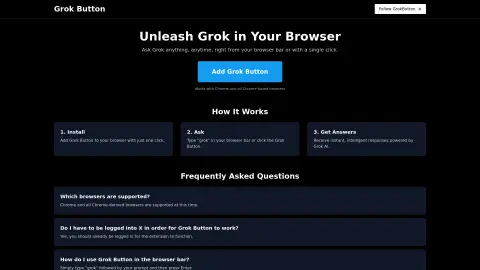
The Grok button is a browser extension that seamlessly integrates the powerful capabilities of Grok AI into your web browser. Users can submit their questions by entering “grok {your question}” in the browser address bar or by clicking the Grok button, and they will receive instant, intelligent responses.
How to use the Grok Button?
Install the Grok button extension. To use it, enter “grok” followed by your question in the browser address bar, then press Enter, or click the Grok button.
The core functionality of the Grok Button
Quickly access Grok AI from your browser.
Answer questions immediately
Integration with Chrome and Chrome-based browsers
Related
Pump Fun Coin
A guide and resource center for creating and trading meme coins on Pump Fun.
Nucleum AI
An AI-powered cryptocurrency trading platform designed for strategy development, backtesting, and real-time signal generation.
Rocket Scooter
Automated trading software and AI scanners reveal the locations of intelligent funds in various markets.
Inturai
AI-driven sports and health monitoring via Wi-Fi signals, ensuring privacy and security.
Centrox AI
Centrox AI offers customized AI solutions and end-to-end generative AI development services to assist enterprises in their endeavors.
Dreamhouse AI
Intelligent interior design and virtual staging tool.