AI TOOL / #02529
Text to Google Calendar
Chrome extension: Allows users to create Google Calendar events directly from highlighted text.
Introduction
Chrome extension to create Google Calendar events from highlighted text.
What is the Text to Google Calendar AI Chrome extension/plug-in?
Text to Google Calendar is a Chrome extension designed to simplify the process of creating events on Google Calendar. It allows users to highlight text from emails or web pages and convert that text into calendar events with just one click, eliminating the need to manually copy and paste event details.
How to use the Text to Google Calendar AI Chrome extension?
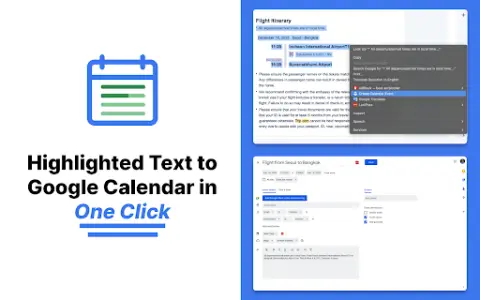
Install the Text to Calendar Chrome extension. Highlight the relevant text containing event details (date, time, description, location) on a web page or in an email. Click the extension icon, and it will automatically use the extracted information to create a Google Calendar event.
The core functionality of the Text to Google Calendar AI Chrome extension.
Click to create an event based on the highlighted text.
Automatically fill in the time zone, location, and event details.
Easily create multiple and duplicate calendar events.
Related
Turn photo into barbie doll
A humorous project that utilizes artificial intelligence to transform photos into images of Barbie or Ken dolls.
Nexmind
An AI-driven marketing platform used for content generation and automated SEO optimization.
Jeeves.Ai
An AI writing assistant with 150+ content creation templates and chat functionality.
AIOAI
The code-free AI platform is designed for marketing and communication purposes, and offers 10 different AI assistants.
Copy Shark
Artificial intelligence-based content generation software that enables the rapid creation of various marketing materials.
WordAdAI
AI platforms can generate articles, social media posts, and images in real time.