AI TOOL / #01596
ChatPlayground AI
A platform that allows for the comparison and use of multiple AI chatbots, featuring additional functionalities as well.
Introduction
A platform to compare and use multiple AI chatbots with added features.
What is ChatPlayground?
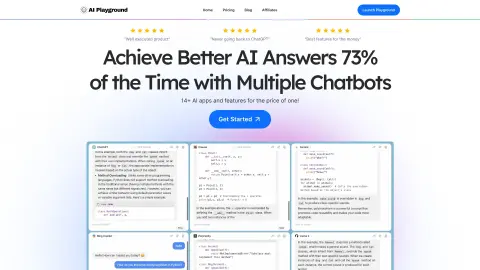
ChatPlayground is a platform that integrates multiple AI chatbots, allowing users to converse with them and select the most appropriate responses. It provides access to models such as ChatGPT-4, Google Gemini 2.0 Pro, and Claude 3.5 Sonnet, in addition to other features, all at a unified price. The platform also offers tools for comparing the outputs of different AI models, suggestion libraries, real-time web search capabilities, image generation options, a history review function, document import functionality, and multilingual support.
How to use ChatPlayground?
Users can access ChatPlayground and compare the outputs generated by different AI models by following the provided instructions. This platform enables users to chat with multiple AI models simultaneously, generate images, search for web pages within AI-driven conversations, and import documents to engage in interactive activities with these AI systems.
The core features of ChatPlayground
Comparison of multiple AI models
Tip Library
Real-time web search
Image generation
Review of historical records
Document import
Multi-language support
Related
OffiAI
Install AI agents in a 3D office environment.
Flamigo
笔记一键变成精美幻灯片
Xinhua Net – Commentary
Xinhua Net's commentary channel, a complementary source of current-affairs opinion and essay material.
Zhangshang Kaoyan
A China Education Online graduate-exam platform covering catalogs, score lines, admission ratios and adjustment information for 900+ institutions.
XuetangX
Tsinghua-initiated MOOC platform with free access to most courses.
Generation of scrolling video for novels
This tool arranges the entire novel into a continuous stream of text, allowing it to scroll smoothly from bottom to top on a vertical screen – much like the subtitles at the end of a movie. The formatting, previewing, exporting, and saving of the project are all done locally within your browser; neither the main text nor any media files will be uploaded to any server.