AI TOOL / #11114
PDFgear
Free PDF software for editing, converting, and managing PDF documents.
Introduction
Free PDF software for editing, converting, and managing PDF documents.
What is PDFgear?
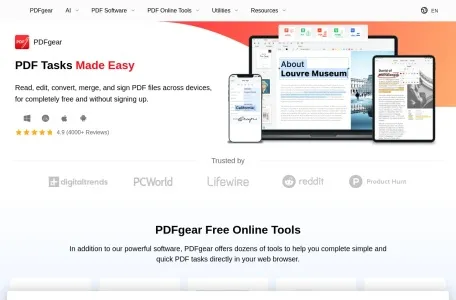
PDFgear is a completely free PDF software that comes without any watermarks and requires no registration. It offers a range of useful functions that enable users to unlock, view, edit, fill out forms, convert, and compress any PDF document. Both a desktop version and online tools are available, allowing for both online and offline PDF editing – including features such as merging, splitting, and converting files. PDFgear is committed to becoming a powerful and user-friendly PDF solution that can meet all users’ needs.
How to use PDFgear?
Users can download software suitable for Windows, macOS, iOS, and Android, or simply use its online tools through a web browser. They can select the functions they need, such as editing, converting, or merging files, and then upload their PDF documents to perform the desired operations.
The core functions of PDFgear
PDF editing
PDF conversion
PDF management
OCR (Optical Character Recognition)
PDF compression
PDF signing
Fill out the form
Related
CloneGen
Voice cloning and AI voice studios allow users to create content using custom voices or those of famous individuals.
ai celebrity voice clone
AI-powered celebrity voice cloning lets you enjoy instant voice experiences right in your browser.
FluxAI Pro
Advanced AI image generation p...
Snapshot by AnswersAi
Chrome extension that provides immediate answers and learning assistance through screenshots.
Astor.ai Data Entry for Chrome
Automatically utilize AI analysis to convert invoices/receipts into accounting data.
Perfect Memory AI
Personalized AI assistant – it remembers everything you see, hear, and say.